GitX- Private notes for open source projects
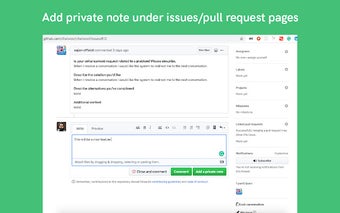
GitX is a Chrome extension developed by gitxapp that allows project collaborators to add private notes in issue and pull request pages on GitHub. These notes are only visible to the project collaborators and not to any other users.
Adding private notes is essential when dealing with pull requests that you are uncertain about. With GitX, you can post comments for your colleagues to review without the pull request contributors seeing these notes.
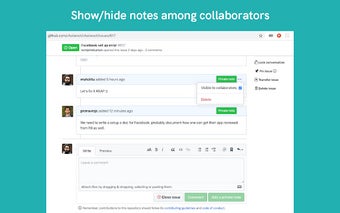
Using GitX is simple. First, click on the "Add to Chrome" button to install the extension. Then, login to your GitX account. Next, navigate to the GitHub issues or pull requests tab. Look for the "Make Note" feature provided by GitX. Here, you can add your note and save it. The "Visible to collaborators" option allows you to show the notes to other collaborators.
It's important to note that the user must have write access to the repository in order to create notes using GitX. This extension facilitates communication between project maintainers directly on GitHub itself.